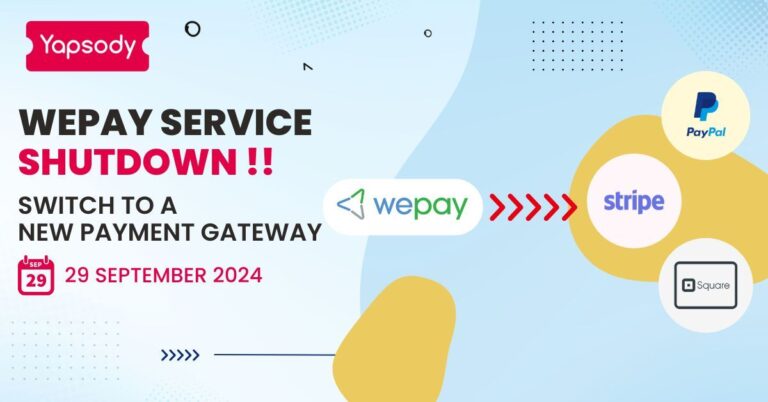
The digital era has transformed the landscape of event planning and ticket sales, making it more accessible and convenient than ever before. Among the leading payment processors, Stripe has gained popularity for its simplicity and efficiency in facilitating online transactions. In this blog, we will delve into the step-by-step process of selling tickets online with Stripe, exploring the benefits, key features, and best practices for seamless integration.
Why Choose Stripe for Selling Tickets Online?
The reasons for choosing Stripe for selling tickets online are:
A. Global Reach
Stripe enables businesses to accept payments from customers around the world, supporting multiple currencies. This global reach is crucial for event organizers looking to attract an international audience.
B. Secure Transactions
Security is a top priority for Stripe. The platform employs advanced security measures, including encryption and fraud prevention tools, ensuring that both sellers and buyers can trust the payment process.
C. User-Friendly Interface
Stripe’s user-friendly interface simplifies the ticket-selling process. Setting up an account is straightforward, and the platform offers a range of customizable features to meet the specific needs of event organizers.
What is the process for adding Stripe as a payment gateway?
This guide will assist you in locating your Stripe Payment Gateway credentials. With these credentials, you will be able to sell tickets online on Yapsody Online using credit/debit cards.
Kindly follow the below-mentioned steps to locate your Stripe credentials
- Log in to your Stripe account on the Stripe website.
- The Stripe Dashboard will be displayed to you. Select ‘Developers’ from the left-hand menu. To view your API, select ‘ API ‘ from the multiple options displayed
- To link your Stripe account with Yapsody and enable online credit card payments, you must have the Live Secret key and the Live Publishable key.
- Your Stripe account can only be tested with the test keys. As shown in the screenshot above, you can view the ‘Test Stripe API credentials’ by clicking on the ‘View Test data’ button.
- Test transactions can be performed using the following card numbers.
- The billing country on each test card is set to the United States. Use international test cards if you need to pay with cards from other billing countries.
Optimizing the Ticket Sales Experience:
A. Clear Event Descriptions
Craft clear and compelling event descriptions. Highlight key details about the event, including date, time, venue, and any special features. An enticing description encourages potential attendees to make a purchase.
Learn How To Write An Event Description? Top 6 Steps To Follow
B. Transparent Pricing
Display ticket prices transparently, including any additional fees or charges. Clarity in pricing builds trust with customers and reduces the likelihood of abandoned transactions.
C. Mobile-Friendly Experience
Marketing Your Event:
A. Utilize Social Media Platforms
Leverage social media to create buzz around your event. Share visually appealing content, countdowns, and exclusive promotions to encourage ticket sales.
B. Email Marketing Campaigns
Implement targeted email campaigns to reach your audience directly. Use persuasive language and visuals to convey the value of attending your event and prompt ticket purchases.
C. Offer Early Bird and Group Discounts
Create a sense of urgency by offering early bird discounts. Additionally, consider providing discounts for group purchases to incentivize larger attendance.
Post-Event Follow-Up:
A. Gather Feedback
Collect feedback from attendees to understand their experience. Use this information to improve future events and build a loyal customer base.
B. Express Gratitude
Show appreciation to attendees through thank-you emails or social media posts. Engaging with your audience after the event helps foster a positive relationship and encourages repeat attendance.
Conclusion
Selling tickets online with Stripe opens up a world of possibilities for event organizers, offering a secure and efficient platform for seamless transactions. By leveraging Stripe’s global reach and user-friendly features, businesses can not only streamline their ticket sales process but also enhance the overall experience for both organizers and attendees. Follow the steps outlined in this guide to master the art of selling tickets online with Stripe, ensuring the success of your events in the digital age.
Sign up with Yapsody and start your selling tickets to your event today with Stripe!
Frequently Asked Questions
To create a Stripe account, visit the official Stripe website and sign up by providing the necessary information. You will need to choose the appropriate account type (Individual or Business) and follow the registration process. Ensure that you provide accurate details, as this information is crucial for seamless transactions.
Yes, Stripe supports global transactions, allowing you to sell tickets to customers around the world. The platform accommodates multiple currencies, making it convenient for international attendees to purchase tickets in their local currency. Ensure that your chosen ticketing platform also supports international transactions through Stripe.
Integration with Stripe is typically straightforward, especially if you are using popular ticketing platforms like Yapsody. Follow the step-by-step instructions provided by your chosen platform to connect your Stripe account. This integration ensures that payments are securely processed, and you can manage online ticket sales efficiently.
Stripe supports a variety of payment methods, including major credit and debit cards such as Visa, MasterCard, American Express, and Discover. Additionally, depending on your region, Stripe may support alternative payment methods like Apple Pay and Google Pay. Ensure that your ticketing platform is configured to offer a diverse range of payment options to cater to a broader audience.
Stripe provides a user-friendly dashboard where you can track and manage your online ticket sales. Once logged into your Stripe account, you can view detailed reports, track revenue, and analyze customer transactions. The platform offers valuable insights that can help you make informed decisions about your events and optimize your ticket-selling strategy for future endeavors.